RideWolf Support

Help Center

Everything you need to create rides, find routes, track your rides, use Ride Now, manage your account, and stay safe on the road.

Getting Started

Set up your account, personalize your profile, and get ready to ride with the pack.

πŸ‘€

Creating Your Account

  • Download RideWolf from the App Store
  • Sign up with your email address, Google, or Apple
  • Sign in with Apple offers to hide your email. Hiding it creates a separate account under a private address — to return to an existing account, share your real email
  • Verify your email by tapping the link sent to your inbox β€” open it on your phone for the best experience
  • Complete your profile by adding your name, riding experience, and motorcycle details
  • Enable Face ID for faster, secure sign-in on future visits
βš™οΈ

Setting Up Your Profile

  • Add a profile photo and a short rider bio
  • Add your motorcycle to your garage β€” including make, model, and type
  • Choose your preferred ride types such as scenic routes or highway riding
  • Set your location — a city-level point you choose, never your exact GPS position — so nearby riders and rides can find you
  • Choose who can message you — everyone, friends only, or no one. Your name, username and photo are always visible so riders can see who’s on a ride
  • Find riders by name or username with the magnifying glass at the top of your Profile tab
  • Signed up with Google or Apple? The first time in, RideWolf asks how riders should see you — display name and username, prefilled from your account, both editable
πŸ†

Rider Levels

RideWolf rewards riders who show up and lead. Your level is calculated automatically based on how many rides you join and how many you organize. Reaching higher levels requires both riding and leading the pack.

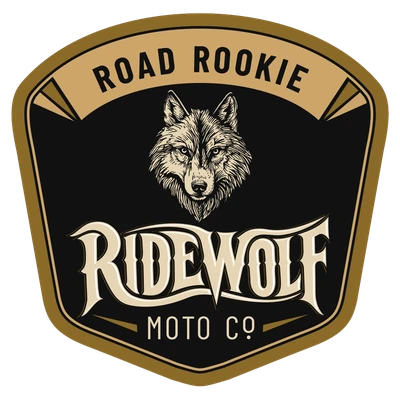
Road Rookie badge β€” RideWolf rider level 1 Road Rookie Starting level. Ready to hit the road and start your journey.
Mile Maker badge β€” RideWolf rider level 2 Mile Maker 25+ rides joined. Making miles and building connections.
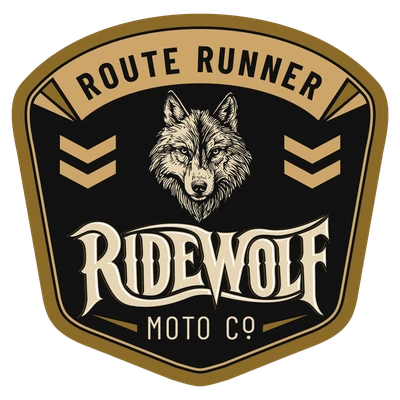
Route Runner badge β€” RideWolf rider level 3 Route Runner 75+ joined, 5+ created. Experienced rider exploring new routes.
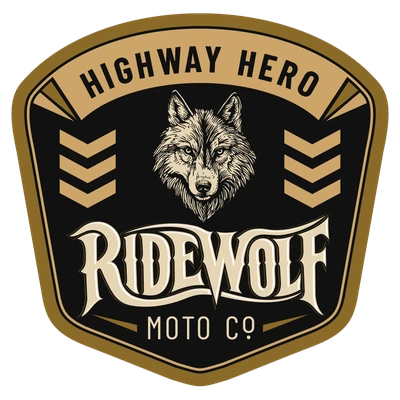
Highway Hero badge β€” RideWolf rider level 4 Highway Hero 150+ joined, 25+ created. Skilled rider and community leader.
Ride Legend badge β€” RideWolf rider level 5 Ride Legend 300+ joined, 75+ created. Elite rider and master organizer.
πŸͺͺ

Your Profile Tab

  • Your Profile tab shows your garage, location, rider level and stats, then one tabbed list: ROUTES you published, SAVED routes, and your ride HISTORY. A search box appears on a tab once it has more than fifteen items

Rides & Core Features

Plan rides in advance, discover routes nearby, and build your wolfpack.

βž•

Create a Ride

  • Tap + at the top of My Rides, the + button on Discover, or Create Group Ride on any route
  • Add your ride title, description, start location, date, and time
  • Rides must be scheduled at least 2 hours from now β€” for spontaneous rides, use Ride Now instead
  • Set estimated duration, group size, skill level, and welcome bike types
  • Optionally set a minimum number of riders required (minimum 2)
  • Choose public or friends-only visibility
  • Invite specific riders directly from the creation screen
πŸ“

Join a Ride

  • Browse upcoming rides in the Discover tab
  • Filter by location, date, skill level, or bike type
  • Check the estimated duration before committing
  • Tap "Join Ride" to request a spot
  • You will receive a reminder notification 1 hour before the ride starts
  • Your attendance is confirmed automatically after the ride unless the creator marks you as a no-show
βœ…

After the Ride

  • Once a ride ends, the creator has 48 hours to review attendance
  • Creators can remove anyone who did not show up
  • Confirmed participants automatically receive ride credit toward their rider level
  • Creators receive credit once the ride has happened — cancelled rides don’t count
  • No-shows do not receive credit
✏️

Editing or Cancelling a Ride

  • Creators can edit a ride up to 1 hour before it starts
  • All participants are notified automatically when a ride is updated
  • To cancel a ride with participants, tap the cancel icon on the ride detail β€” all participants will be notified immediately
  • Rides cannot be cancelled after they have started
  • Cancelled rides do not award ride credits to anyone
  • Cancelled rides appear in your Past Rides with a Cancelled label
🏍️

Bike Type Compatibility

  • Ride creators can specify which bike types are welcome
  • If your bike type does not match, you will see a message explaining why you cannot join
  • Make sure your garage is up to date with your current bike for the best matching experience
πŸ”—

Sharing a Ride

  • Share any ride with a link from the ride page. Riders with the app land on the ride; anyone else sees a preview page with the ride details and a Get RideWolf button. Friends-only rides show only the title

Routes

Rider-built motorcycle roads you can browse, save, review, and ride β€” created by the RideWolf community.

πŸ—ΊοΈ

What Are Routes?

Every route shows its distance, estimated ride time, difficulty, road type, and twistiness, plus photos and reviews from riders who’ve actually ridden it. Find them in the Routes tab.

πŸ”

Finding a Route

  • Search by name or filter by region, difficulty (Beginner to Expert), road type (Scenic, Twisty, Highway, Mixed, Off-Road), and bike type
  • Sort by rating, popularity, distance, newest β€” or by twistiness if you’re hunting curves
  • Twistiness isn’t self-reported: RideWolf calculates it automatically from the route’s actual geometry
⭐

Saving & Reviewing Routes

  • Tap Save on any route to add it to Saved Routes on your profile
  • After riding, leave a review: 1–5 stars, a comment, when you rode it, and the road conditions you found β€” Clear, Gravel, Construction, Rough surface, or Closed
  • One review per rider per route; update yours anytime. Creators get a notification when their route is reviewed
πŸ› οΈ

Creating a Route

  • Tap + in the Routes tab, then build it three ways: the waypoint planner, a GPX import from another app or device, or a ride you tracked with GPS
  • Add a title, description, difficulty, road type, bike types, and a cover photo β€” drag to position it, or skip it and RideWolf uses a rider photo
  • Unpublish or delete your route anytime from the “…” menu on its page
🀝

From Route to Group Ride

  • On any route, tap Create Group Ride β€” the ride form is pre-filled from the route, so all you set is date, time, and group details
  • Riding it solo instead? Tap I Rode This to log it to your ride history
πŸ“€

Sharing, Exporting & Reporting

  • Share any route with a link β€” it opens straight to the route for riders with the app
  • Export any route as a GPX file for Garmin, Rever, Scenic, Calimoto, and anything else that reads GPX
  • See something that doesn’t belong? Report a route from the “…” menu, or block a rider to hide their routes, reviews, and photos

GPS Ride Tracking

Track any ride with GPS β€” on a route or free β€” with your logs private to you, enforced server-side.

πŸ“

Tracking a Ride

  • Start tracking from a route, or use Record a Ride to track a free ride with no route at all
  • RideWolf records your path, distance, and elevation as you ride
  • Built for real rides: progress is checkpointed, so if your phone dies mid-ride your ride is recovered β€” and dead-signal stretches sync when you reconnect
🏁

Finishing a Ride

  • Ending a ride shows a completion summary β€” distance, elevation gain, and your path on the map
  • Saving to ride history is up to you: dismiss the summary and nothing is stored
  • Tracked a route but rode a different path? RideWolf logs it as a free ride instead, so route stats stay honest
✨

Save as New Route

Found a great road? From the completion summary or ride history, publish your tracked ride’s actual GPS path as a new route. Before publishing, the app warns you that routes are public and that your ride’s exact start and end points will be visible — you can move them in the planner first (recommended if you started at home) for other riders to discover. The route’s twistiness, distance, and shape come from the real ride.

πŸ“Š

Ride History & Stats

Every ride you save appears in your ride history, and your profile shows lifetime stats. To delete a logged ride, long-press it in history or use the trash button on its summary.

πŸ”

Who Can See My Tracked Rides?

Only you. Your GPS ride logs and location history are private to your account and protected server-side β€” other riders can never view them. The only way a path becomes public is if you publish it with Save as New Route, and even then only the route’s path is shared, never your ride history.

🧰

Tracking Troubleshooting

  • Tracking stops in the background β€” check RideWolf’s location permission in iPhone Settings and make sure Low Power Mode isn’t cutting background activity
  • Ride didn’t sync β€” rides tracked without signal upload automatically once you reconnect; give it a moment on Wi-Fi or LTE
  • Route link won’t open the app β€” make sure the app is installed and up to date, then tap the link again
  • Recording pauses when the phone locks — RideWolf’s location permission is set to While Using. Set it to Always in iPhone Settings › RideWolf › Location

Ride Now

The fastest way to find a riding partner today. No planning required β€” just post and match.

⚑

How Ride Now Works

  • Tap the gold Ride Now banner on the home screen
  • Set your search radius, leave time, skill level, and max group size
  • Your request is active for 2 hours and automatically expires
  • You can close the screen β€” RideWolf will notify you when a match is found
  • When a compatible rider is found, you receive a push notification and an alert in your Inbox
  • Review the other rider's profile before accepting
  • Both riders must accept to confirm the match and enter the lobby
🀝

The Ride Now Lobby

  • Once matched, riders enter a shared lobby with chat
  • Set a meetup point in the lobby; everyone taps Ready when they’re set
  • When everyone is ready the ride starts and the meetup point is shown with directions
  • Your ride records itself: distance and path are tracked from the moment the ride starts, and saved to your ride history as “Ride Now with …” when you tap Done — no extra step
  • Tap “Done — End Ride” when you’re finished. Riders can tap Done at different times; each rider’s history shows their own distance, and ride credit is awarded once for everyone in the group
  • Ride Now rides count toward your Rides Joined and your rider level
  • Location must be set to Always for RideWolf, or the recording pauses when your phone locks
πŸ’‘

Tips for Ride Now

  • Use Ride Now when you want to ride today and are flexible on route and destination
  • For planned group rides with a set location and date, use Create a Ride instead
  • The wider your search radius, the more potential matches you will find
  • Make sure your skill level is accurate β€” matches are filtered by compatibility
  • Keep notifications enabled so you do not miss a match while the app is in the background

Social Features

Stay connected before, during, and after the ride.

🀝

Friends & Ride Alerts

  • Send a friend request for a two-way connection. Friends can see each other’s friends-only rides and get an alert for every ride the other posts
  • Not friends but want to know when someone posts a ride? Tap Ride Alerts (the bell) on their profile — you’ll get a notification whenever they post a public ride. It’s one-way and silent; they aren’t told
  • Friends-only rides are visible exclusively to your approved connections
  • View mutual friends on public profiles to help decide who to connect with
πŸ“¬

Inbox β€” Messages & Alerts

  • Tap the inbox icon in the top right of any screen to open your Inbox
  • The Messages tab shows direct conversations with other riders
  • The Alerts tab shows ride invitations, join notifications, ride updates, Ride Now matches, and completion notices
  • A red count on the Messages or Alerts tab shows how many unread items are there; unread alerts carry a red dot. The number on the RideWolf app icon matches your unread total
  • Photos can be sent in messages — tap the gold camera in the message bar
  • Tapping a notification opens the ride, conversation or request directly and marks that alert read
⭐

Rider Endorsements

  • After riding with someone you can endorse them on their profile
  • You can endorse a rider once a ride you were both on has finished — organiser or participant — from the Endorse button on their profile, one endorsement per ride
  • Endorsements help build trust within the community
  • View endorsements on any public rider profile
🚫

Blocking, Muting & Reporting

  • Mute a rider to hide their content without notifying them
  • Block a rider to stop all contact — messages, friend requests, ride alerts, invitations and Ride Now matching. Blocking also removes any friendship and clears alerts between you both. Unblock from their profile or in Settings › Blocked Riders
  • Report riders for harassment, fake profiles, or safety concerns
  • All reports are reviewed by the RideWolf team

Safety Features

Built-in tools to help you stay prepared, connected, and protected on every ride.

🚨

Alert Contacts

  • Add emergency contacts in Settings › Safety
  • Need help during a ride? Tap the Alert Contacts row at the top of the ride page or on the tracking screen — it prepares a message to your contacts with your current location; you review it and tap Send
  • RideWolf never contacts anyone automatically, needs cell signal and a GPS fix to work, and cannot call emergency services
  • Enabling it requires at least one contact and accepting the safety disclaimer
  • RideWolf is not an emergency service β€” in a real emergency, call 911 or use your iPhone’s Emergency SOS
πŸ“²

Safety Check-Ins

  • Use the check-in bar during a tracked ride or on the ride page, at intervals you choose
  • You get a reminder notification when a check-in is due
  • Miss one, and RideWolf asks you “Are you OK?” β€” from there you can confirm you’re fine or choose to send an alert to your contacts
  • Nothing is ever sent without your action
❀️

Medical Info & iPhone Tools

  • Store medical conditions, allergies, and medications in your profile
  • Use iPhone Emergency SOS when needed
  • Set up Medical ID in the iPhone Health app
  • Your medical info can be included if you choose to send an alert to your contacts

Account & App Settings

Control privacy, notifications, security, and data from one place.

πŸ”’

Privacy Settings

  • Your username, name, and photo are visible to other riders β€” so people can see who created a ride and who’s coming
  • Private to you: your messages, GPS ride logs, location history, medical info, and emergency contacts
  • Control who can message you β€” everyone, friends only, or no one β€” enforced server-side
  • Block riders to hide their content and stop all contact
πŸ””

Notifications

  • Enable push notifications to receive ride reminders and Ride Now matches
  • Ride reminders fire 24 hours before and 1 hour before your ride starts
  • Ride Now alerts arrive even when the app is closed
  • Choose which pushes you get in RideWolf Settings › Notifications: Ride Invites, Messages, Ride Updates, New Rides (rides posted by friends and by riders you have Ride Alerts on for), and Ride Reminders, plus Sound
πŸ›‘οΈ

Security & Data

  • Enable Face ID for fast and secure sign-in
  • Use a strong password for your account
  • Your session is securely stored on your device using the iOS Keychain
  • Delete your account anytime in the app β€” Settings → Delete Account. Deletion is immediate and removes your data
  • Deleting your account removes your profile, rides, messages, photos and every trace from other riders’ inboxes

Troubleshooting

Quick fixes for the most common issues with rides, notifications, and your account.

Can't see rides in the Discover tab
  • The Discover tab only shows upcoming rides β€” past rides will not appear here
  • Check that your location permissions are enabled for RideWolf
  • Verify your internet connection
  • Pull down to refresh the screen
Not receiving push notifications
  • Go to iPhone Settings β†’ RideWolf β†’ Notifications and make sure they are enabled
  • Check that Do Not Disturb or Focus mode is not silencing your alerts
  • Log out and log back in β€” this refreshes your device token with our servers
  • Alerts always appear in your Inbox even if push notifications are silenced
Ride Now is not finding matches
  • Try increasing your search radius to find more compatible riders
  • Make sure your skill level is set correctly — matches are filtered by skill, time window and distance
  • Ride Now requests expire after 2 hours β€” post a fresh request if yours has expired
  • Matching depends on other riders posting at the same time β€” try again at different times of day
My ride credits or stats are not updating
  • Ride credits are awarded 48 hours after a ride ends, once the attendance window closes
  • If the ride creator marked you as a no-show, you will not receive credit for that ride
  • For Ride Now sessions, credits are awarded when you tap "Done β€” End Ride" in the lobby
  • Pull to refresh your profile or log out and back in to see the latest stats
I can't create a ride for a time less than 2 hours from now
  • Planned rides require at least 2 hours lead time so other riders have time to see and join
  • If you want to ride right now or within the next couple of hours, use Ride Now instead
  • Ride Now is designed for spontaneous same-day riding with instant matching
Messages are not appearing
  • Tap the inbox icon at the top right and check the Messages tab
  • Make sure notifications are enabled so you are alerted to new messages
  • Review your privacy settings β€” some settings restrict who can message you
  • Confirm the other rider has not blocked you
Biometric login is not working
  • Log in with your password first, then re-enable Face ID in your account settings
  • Check that Face ID is set up correctly in iPhone Settings β†’ Face ID & Passcode
  • If your session has expired you will be prompted to sign in again β€” this is normal
Forgot your password
  • Tap "Forgot Password" on the login screen
  • Check your email inbox and spam folder for the reset link
  • Open the reset link on your phone for the best experience
  • Contact support if you do not receive the email within a few minutes
Can't verify your email after signing up
  • Check your spam or junk folder for the verification email
  • Open the verification link on your phone, not on a desktop browser
  • Verification links expire β€” if yours has expired, try signing up again with the same email
  • Contact support if the problem continues
A tapped alert takes me to "Ride Not Found"
  • This can happen briefly while the app loads the ride from the server β€” wait a moment and try again
  • Make sure you have a stable internet connection
  • If the ride was cancelled or deleted by the creator it will no longer be available

Safety Guidelines

Best practices to help every ride stay fun, smooth, and prepared.

βœ…

Before Every Ride

  • Check weather conditions using the RideWolf home screen weather widget
  • Inspect your motorcycle before heading out
  • Let your emergency contacts know your plans
  • Plan your route and rest stops in advance
🏍️

During the Ride

  • Check in during longer rides using the safety check-in feature
  • Stay hydrated and take regular breaks
  • Obey all traffic laws and posted speed limits
  • Always wear proper safety gear
πŸ“‘

Emergency Situations

  • Use iPhone Emergency SOS for immediate help
  • Call 911 when necessary
  • Use Alert Contacts to prepare a location message for your emergency contacts β€” you review it and tap Send
  • Share your location with first responders when needed

Privacy & Data

Clear information about what is collected, how it is protected, and what control you have.

πŸ“‚

What We Collect

  • Profile information you provide during signup
  • Ride history and location data used for matching and discovery
  • Device information for push notification delivery and security
  • App usage patterns to improve the experience
πŸ”

How Your Data Is Protected

  • Your session token is stored securely in the iOS Keychain
  • All data is transmitted over encrypted connections
  • Row-level security ensures you can only access your own data
  • No third-party advertising or data selling
  • Your email address is never visible to other riders — enforced on our servers
βš–οΈ

Your Rights

  • Access your profile and ride history at any time inside the app
  • Delete your account and all associated data anytime in the app (Settings → Delete Account), or by contacting support
  • Control privacy and visibility settings directly inside the app
  • Opt out of certain types of notifications in your iPhone Settings

Still Need Help?

If you still have questions, contact the RideWolf support team. Please include your device model, iOS version, and a brief description of the issue. Screenshots are always helpful.

Contact Support